 Moon Suite
Screens and schedules
What your screen does when the Wi-Fi drops
The clinic’s internet went down for a morning. The waiting-room TV kept going, said plainly which numbers were old, and caught up on its own when the connection came back.

A Tuesday with no internet
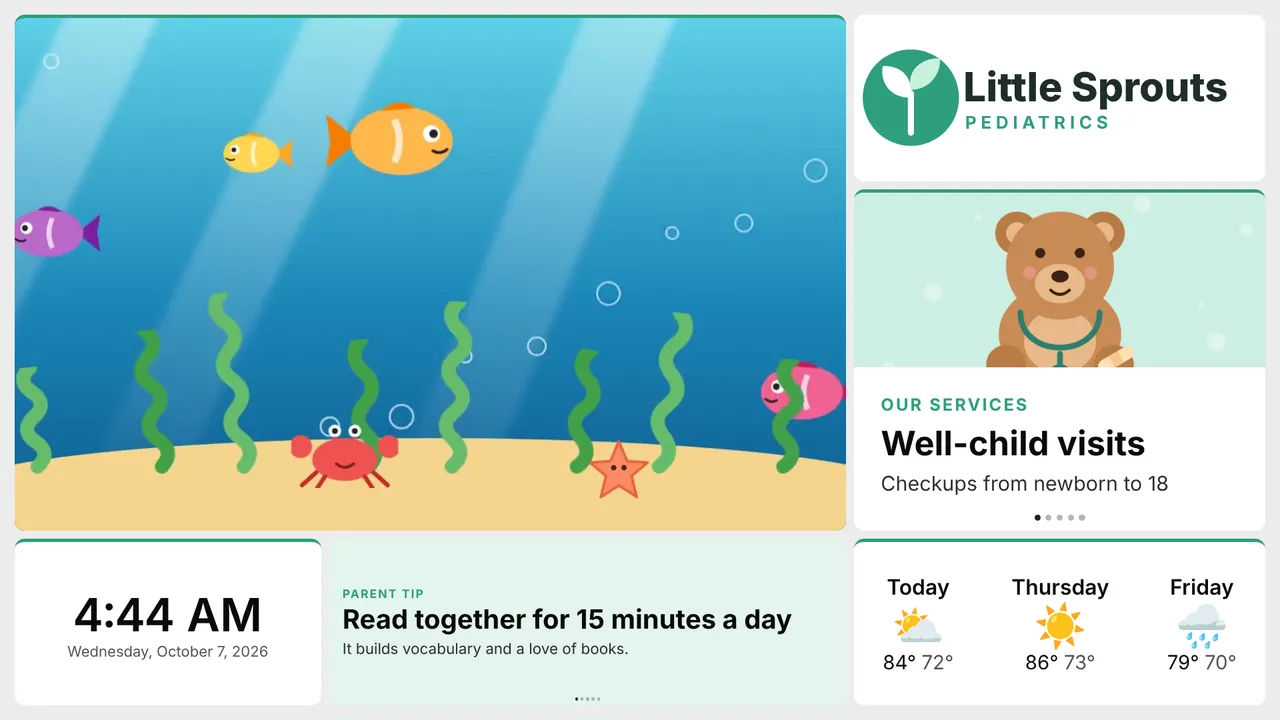
A storm took out the street’s internet at Little Sprouts Pediatrics just after opening. The phones still rang, the card reader switched to its backup, and Nadia waited for the waiting-room TV to go black, the way the old cable box did.
It didn’t. The film kept looping, the logo and services kept rotating, and the clock kept time. A bar across the top said the internet was gone, for a minute, then stepped aside.
I only knew something was off because the forecast said when it was last updated. Nobody in the waiting room noticed.
What keeps showing
A TV keeps what it needs on itself, so a dead connection or a power cut doesn’t blank the screen.
- The moon itself: its layout, text and images.
- The last data each widget received: weather, news, stocks, numbers, charts, menus and tables from a sheet, Now serving numbers and job boards.
- The schedule. A screen with a schedule still changes moons on time.
A TV that is switched off and on with no connection starts from this copy, so a power cut overnight is not a problem in the morning.
How the screen says it’s out of date
Old data is fine, as long as nobody mistakes it for new. So a widget that shows live data gets a small “Last updated 3 hours ago” in its corner while the TV is offline, or when its data is late, and loses it when fresh data arrives. Widgets that read a Google Sheet say it in their own note: “Data from 3 hours ago”.
Clocks, text and images never show the mark, because they are never out of date.
To see the age all the time, not only when it’s late, turn on Show last updated on any widget.
When the connection comes back
Nothing to do. Whatever failed to load loads again as soon as the connection returns, and the marks go away as fresh data arrives. Moons waiting for their time slot are fetched again too, so an edit Nadia made from her phone during the outage reached the TV a moment after it came back online.
If you’d rather hear about an outage than notice it, turn on Offline alerts in Screens. We email you when a screen has not been in touch for 15 minutes, and again when it’s back. You can change the minutes (5 to 1,440) or turn the emails off; only the account’s owner sees the setting.
When a moon is kept
A moon is kept once it has been on the TV while connected, and an image the first time it is shown. A scheduled moon that has not played yet starts with its layout and text only.
| What | Kept on the TV? |
|---|---|
| Layout, text, clock | Yes |
| Images the moons use | Yes, up to 4 MB each in the TV apps |
| Weather, news, sheets, numbers, job boards | The last data received, for a week |
| Video, Web page and Custom widgets | No, they need a connection |
About the story. The people and businesses in these guides are made up. They show how we expect a moon to be used, not the experience of real customers.

